วันพุธที่ 4 กันยายน พ.ศ. 2562

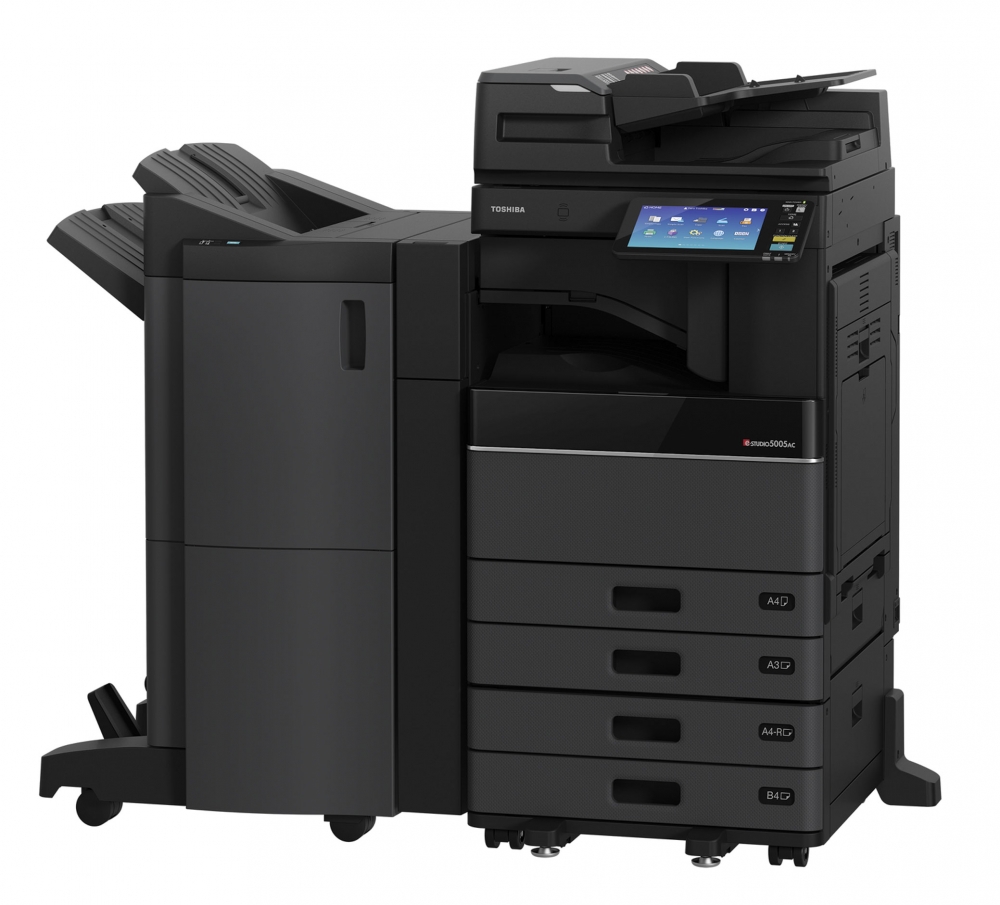
TOSHIBA e-STUDIO e3508LP / e4508LP / e5008LP


TOSHIBA e-STUDIO
e3508LP / e4508LP / e5008LP
35/4550 PPM B&W Multifunction Product
35 PPM Erasable Blue
e-BRIDGE Next Technology
Large Workgroup
Copy, Print, Scan, Fax
Secure MFP
ข้อมูลจำเพาะ 

มาใหม่...TOSHIBA eSTUDIO e2515AC / e3015AC / e3515AC / e4515AC / e5015AC


TOSHIBA eSTUDIO
e2515AC / e3015AC / e3515AC / e4515AC / e5015AC
  • ความเร็วในการถ่ายเอกสาร 25, 30, 35, 45, 50 หน้าต่อนาที(A4 ทั้งสีและขาว-ดำ)
  • หน้าจอสั่งงานระบบสัมผัส LCD ขนาดใหญ่ถึง 10.1 นิ้ว
  • หน่วยความจำมาตรฐาน 4 GB พร้อมฮาร์ดดิส 320 GB
  • ความละเอียดในการถ่ายเอกสาร 600 x 600 dpi. 
  • ตั้งจำนวนถ่ายเอกสาร 1 – 999 แผ่น
  • ถาดกระดาษ 2 จุถาดละ 550 แผ่น และถาดด้านข้างอีก 100 แผ่น
  • มีชุดป้อนต้นฉบับอัตโนมัติ RADF วางต้นฉบับได้ 100 แผ่น
  • มีชุดกลับสำเนาหน้า-หลังอัตโนมัติ (Duplex) และถ่ายเอกสารหน้า-หลังได้

NEWWWW.....TOSHIBA e-STUDIO e2010AC / e2510AC


TOSHIBA e-STUDIO
e2010AC / e2510AC
  • ความเร็ว 20, 25 แผ่น/นาที (A4, ทั้งสีและขาวดำ)
  • ความละเอียดในการถ่ายเอกสาร 600 x 600 dpi.
  • อุ่นเครื่อง 21 วินาที (from off)
  • หน่วยความจำ(RAM) 2 GB เพิ่มได้สูงสุด 4GB และฮาร์ดดิส 320 GB
  • ย่อ–ขยาย 25%-400% และปรับเพิ่ม–ลดครั้งละ 1%
  • รองรับต้นฉบับและสำเนาตั้งแต่ขนาด A6–A3

คุณสมบัติถ่ายเอกสาร (Copy)
  1. ความเร็วในการถ่ายเอกสาร 20, 25 แผ่น/นาที (A4, ทั้งสีและขาวดำ)
  1. ความละเอียดในการถ่ายเอกสาร 600 x 600 dpi.

ใหม่ e2518A / e3018A / e3518A / e4518A / e5018A


TOSHIBA e-STUDIO
e2518A / e3018A / e3518A / e4518A / e5018A
  • ความเร็วในการถ่ายเอกสาร 25, 30, 35, 45, 50 แผ่นต่อนาที (A4)
  • ความละเอียดในการถ่ายเอกสาร 2,400 x 600 dpi.
  • รองรับหน่วยความจำ(RAM) สูงสุด 4GB (2,048 MB) พร้อมฮาร์ดดิส 320GB
  • อ่านต้นฉบับครั้งเดียว พิมพ์สำเนาได้หลายแผ่น
  • เวลาในการอุ่นเครื่อง 15 วินาที (จากโหมดประหยัดพลังงาน)

วันพฤหัสบดีที่ 23 พฤษภาคม พ.ศ. 2562

วิธีการดาวน์โหลดและทำการติดตั้งไดร์เวอร์เครื่องมัลติฟังก์ชั่นโตชิบาบนวินโดวส์ 10


Install Toshiba Universal Drivers
วิธีการดาวน์โหลดและทำการติดตั้งไดร์เวอร์เครื่องมัลติฟังก์ชั่นโตชิบาบนวินโดวส์ 10

A.      เปิดเว็บเบราว์เซอร์แล้วเข้าไปที่ http://business.toshiba.com/support/  
B.      ในช่องการค้นหาให้ใส่ รุ่นเครื่องที่เราใช้งาน เช่น e-studio2500ac แล้วกดค้นหา ‘Search for Model’


2.      เลือกไดร์เวอร์ที่จะใช้งาน(E-BRIDGE CURRENT DRIVERS) ‘ZIP’ link.

A.      แนะนำว่าให้โหลด ‘Windows e-Bridge Universal 2 PCL/PS 32/64 Bit Driver’. ไดร์เวอร์ PCLสามารถเปลี่ยนเป็น Postscript ถ้าต้องการ
B.      คุณสามารถเลือก Postscript driver ถ้าต้องการใช้งาน specialized graphics programs เช่น Adobe InDesign หรือโปรแกรมพวก publishing program. ‘Windows e-Bridge Universal 2 PS 32/64 Bit Driver’ ตัวนี้คือ Postscript Universal Driver.

3.      กดเลือกแล้วก็รอดาวน์โหลดจนเสร็จ.

A.      ดาวน์เก็บไว้ที่ไหนก็ได้ตามต้องการ, อย่างไรก็ดีเก็บไว้ตามค่าดีฟอลท์ที่เลือกให้ดีกว่าเช่น ‘This PC’, 


B.      แตกไฟล์ที่ดาวน์โหลด. เลือก ‘Extract All’.


C.      ค่าเริ่มต้นปลายทางที่แตกไฟล์เราอาจเปิดหาไม่เจอ ให้คลิกตรง , ‘Show extracted files when complete’ ต้องขึ้นเครื่องหมายถูก จากนั้นคลิก ‘Extract’ รอจนเสร็จ


D.     หลังแตกไฟล์เรียบร้อยวินโดวส์จะเปิดโฟลเดอร์ขึ้นมาให้

 
4.      เลือก ‘essetup.exe’ ดับเบิ้ลคลิกเพื่อเริ่มต้นติดตั้ง.

A.      ข้อความแจ้งเตือน Security message, กด Yes เลย.


B.      กด ‘Next’.
C.      กด ‘Add’.


D.     เลือกเครื่องโตชิบาที่ใช้งานอยู่


E.      เลือก ‘Install’.


F.       เลือก ‘Open Printer properties’.


G.     เปลี่ยนชื่อเอาที่เราเข้าใจหรือตามรุ่นเครื่อง เช่น TOSHIBA LAB ROOM


5.      เลือก ‘Device Settings’


A.      กดเลือกที่ ‘Device Settings’, ไดร์เวอร์จะทำการดึงข้อมูลเครื่องโตชิบามา


B.      ต่อไปก็ปที่ ‘Advanced’ Tab.


C.      เลือก ‘Printing Defaults…’


D.     ตรงนี้จะเป็นการตั้งค่าเริ่มต้น เช่นกระดาษ,B/W หรือ color, และตรง ‘Finishing’ Tab, ถ้าต้องการพิมพ์หน้าเดียวหรือถ้าไม่เปลี่ยนค่าเริ่มต้นจะเป็นสั่งพิมพ์หน้าหลัง (Others ถ้าต้องใส่รหัสให้กรอกหน้านี้)


E.      ถ้าเลือกแล้วก็ ‘Apply’ แล้ว ‘OK’.


6.      ลองเทสดู.

A.      เลือกที่ ‘General’ Tab ของหน้าต่าง ‘Properties’


B.      เลือก ‘Print Test Page’


C.      เลือก ‘Close’. เลือก ‘Finish’

Your printer is now installed. จบล่ะ ปล.ถ้าสั่งพิมพ์ไม่ออกอาจจะเพราะมีการล๊อครหัสไว้ย้อนกลับไปดูการต้องค่าด้านบนนะ

วันอังคารที่ 13 พฤศจิกายน พ.ศ. 2561

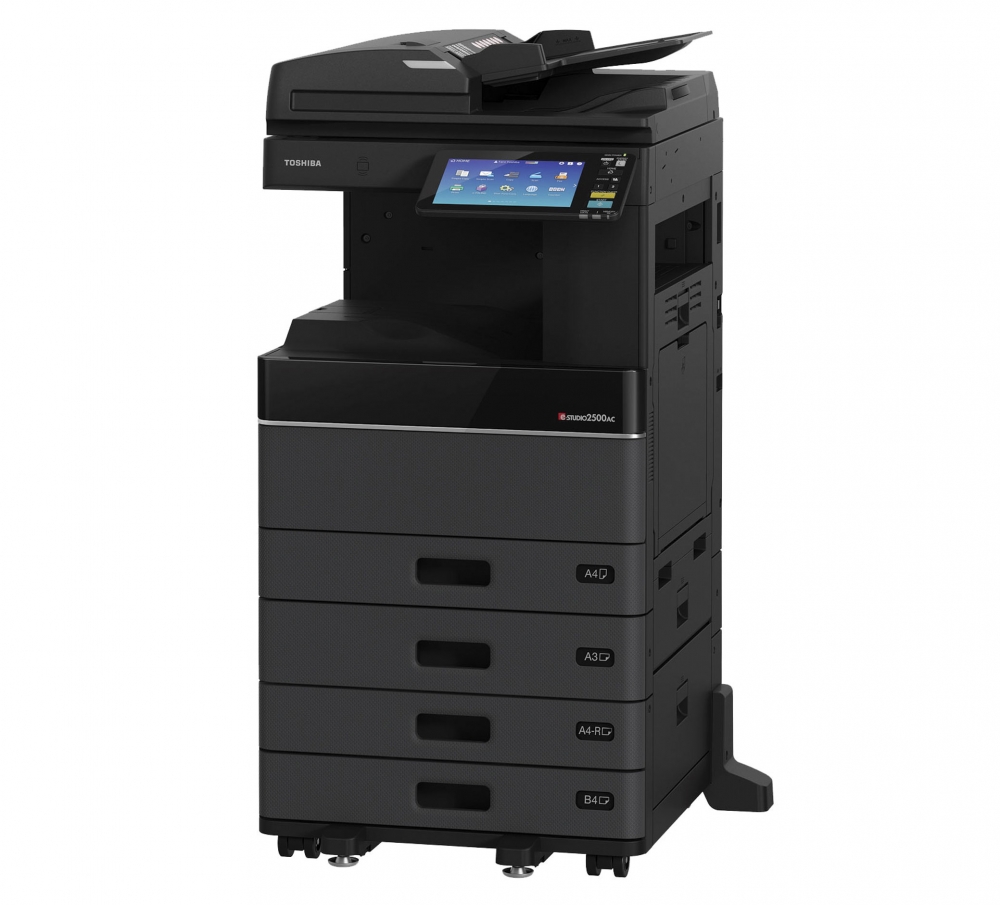
e-STUDIO 2000AC / 2500AC


e-STUDIO 2000AC / 2500AC


This e-STUDIO 2500AC series is packed with industry-leading technology and innovations designed to help workgroups connect, integrate and simplify.


Product Details:


e-STUDIO 2010AC/2510AC

e-STUDIO 2010AC/2510AC

  This e-STUDIO 2510AC series is packed with industry-leading technology and innovations designed to help workgroups connect, integrate and simplify.

Product Details:


  • Touch and Swipe with Ease
    An easy to see, tablet style 9’’ colour touch screen panel works intuitively, helping you find instructions, functions and commands with the swipe of the finger
  • Multi-Station Print Solution 
    Toshiba’s internally developed Multi-Station Print Solution allows users to send print jobs from their desktop and retrieve them at any convenient MFP by simply swiping their badge and authenticating at that device.
     
  • Envelopes- the Perfect Fit
    A special envelope cassette is available to hold up to 50 envelopes, making sure each one is fed and printed in the same place, every time. 
     
  • High Volumes
    A high monthly copy volume up to 67200 for e-STUDIO 2010AC & 84,000 for e-STUDIO 2510AC. Toner yields are 33,600 CMY and 38400 K pages (at 5%) respectively. 
     
  • Advance e-BRIDGE Technology
    Built on Linux®, this next-generation e-BRIDGE architecture features an Embedded Web Browser, a fast dual-core processor, 4GB RAM and a 320GB Self Encrypting Drive (SED) enabling the MFP to easily drive Toshiba's internally developed solutions or even third-party applications.
     
  • A Clever Inside Pocket
    We’ve put the Authentication Card Reader inside the machine for a cleaner look and safer use. 

e-STUDIO 2518A/3018A/4518A

e-STUDIO 2518A/3018A/4518A

 Toshiba e-STUDIO 4518A series is designed to put a fast, efficient, secure MFP in the hands of small and medium workgroups. Not only it is high volume, it also produces high-quality types and images.

Product Details:


  •  In Control with the Greatest of Ease
    A new tiltable, touch swipe 9" colour panel works like a tablet or smartphone interface so you can find whatever you need by just swiping your finger.
  • Advance e-BRIDGE TechnologyBuilt on Linux®, this next-generation e-BRIDGE architecture features an Embedded Web Browser, a fast dual-core processor, 4GB RAM and a 320GB Self Encrypting Drive (SED) enabling the MFP to easily drive Toshiba's internally developed solutions or even third-party applications.
  • Double the Scan Speed
    A 300-sheet high-speed, high-capacity Dual-Scan Document Feeder (DSDF) produces up to 120 IPM simplx and 240 IPM duplex. A conventional RADF is available for less scan-intensive businesses. 
  • Special Envelope CassetteKeep your envelopes firmly in place for accurate printing from start to finish with a new envelope cassette that holds 50 at a time. 
  • Add What You Need, All at Once
    A 1,200-sheet capacity comes standard, but if you need more, just add 2 optional 550-sheet cassettes or a tandem LCF for 2,000 sheets (A4 only) for a total capacity of 3200 sheets.
  • High Volume, High Toner Yield
    The monthly copy volume reaches 150,000 and an equally impressive toner yield tops out at 43,900 at 5% coverage.
  • Multi-Station Print Solution
    Toshiba's internally developed Multi-Station Print Solution allows users to send print jobs from their desktop and retrieve them at any convenient MFP by simply swiping their badge and authenticating at that device.

e-STUDIO 3515AC/5015AC

e-STUDIO 3515AC/5015AC

 This Toshiba e-STUDIO 5015AC Series is deliver to provide tailored, cost-effective solutions that meet specific print, document management and contact needs while helping you to meet your green objectives.

Product Details:


  • Double the Scan Speed 
    A 300-sheet high-speed, high-capacity Dual-Scan Document Feeder (DSDF) produces up to 120 IPM simplex and 240 IPM duplex. A conventional RADF is available for less scan-intensive businesses. 
  • Envelopes- the Perfect Fit
    A special envelope cassette is available to hold up to 50 envelopes, making sure each one is fed and printed in the same place, every time. 
  • High Volumes
    A high monthly copy volumes is up 210,000 for monochrome and up to 105,000 for colour printing. Toner yields are 33,600 CMY and 38,400  K (at 5%) respectively.
  • Multi-Station Print Solution
    Toshiba’s internally developed Mulit-Station Print Solution allows users to send print jobs from their desktop and retrieve them at any convenient MFP by simply swiping their badge and authenticating at that device. 
  • Advance e-BRIDGE Technology
    Built on Linux®, this next-generation e-BRIDGE architecture features an Embedded Web Browser, a fast dual-core processor, 4GB RAM and a 320GB Self Encrypting Drive (SED) enabling the MFP to easily drive Toshiba's internally developed solutions or even third-party applications.

วันพฤหัสบดีที่ 17 มีนาคม พ.ศ. 2559

มาแล้วๆ สินค้ามาใหม่ของโตชิบา เครื่องพิมพ์บาร์โค้ดขนาดเล็ก

เครื่องพิมพ์บาร์โค๊ด TOSHIBA TEC เป็นเครื่องพิมพ์บาร์โค๊ดที่ โรงงานอุตสาหกรรมส่วนใหญ่เลือกใช้ เพราะมีความแข็งแรงทนทาน เป็นแบรนด์ที่คนทั่วไปรู้จักมาอย่างยาวนาน เชื่อถือได้ เหมาะกับงานพิมพ์หลากหลายชนิด เน้นเครื่องแบบ อุตสาหกรรมขนาดใหญ่ 

Toshiba B-SA4TP Barcode Printer
 เครื่องพิมพ์บาร์โค้ด TOSHIBA TEC รุ่น B-SA4TP เครื่องพิมพ์คุณภาพสูงที่มีประสิทธิภาพในอุตสาหกรรม ตัวเครื่องพลาสติก ออกแบบการเปิดฝาเครื่องแบบ clamshell มีความทนทานสูง และสะดวกในการใส่ริบบอน(Ribbon)และสติ๊กเกอร์บาร์โค้ด  เป็นเครื่องพิมพ์บาร์โค้ดอุตสาหกรรมเบา ที่มีขนาดกะทัดรัด จึงสะดวกในการหาพื้นที่จัดวาง พร้อมการเชื่อมต่อทีหลากหลาย USB,Parallel,Internal Ethernet 10/100

ความละเอียดการพิมพ์ :203dpi (8 dots/mm) / 300dpi
ความเร็วในการพิมพ์ :Up to 6 ips
ระบบการพิมพ์ :ใช้ความร้อนโดยตรง(Direct Thermal)
:ใช้ความร้อนผ่านผ้าหมึก(Thermal Transfer)
หน่วยความจำ :16MB Flash Memory , 16MB SDRAM
ความกว้างในการพิมพ์ :104mm(4.09")203dpi/105.7mm(300dpi)
ความยาวในการพิมพ์ :997mm (39.25")                         
ใส่ริบบอนได้ความยาว :450M(ink coated outside)
การเชื่อมต่อ :USB2.0,Parallel
:Internal Ethernet,10/100
:การเชื่อมต่อแบบ RS-232 และ Cutter เป็นOption


Toshiba B-SA4TM Barcode Printer
 เครื่องพิมพ์บาร์โค้ด TOSHIBA Tec รุ่น B-SA4TM เครื่องพิมพ์ฉลากบาร์โค้ด มาพร้อมกับฟังก์ชันการทำงานที่ง่ายและมีความทนทานสูงด้วยตัวเครื่องเป็น เหล็ก เป็นเครื่องพิมพ์บาร์โค้ดอุตสาหกรรมที่มีขนาดกะทัดรัด จึงสะดวกในการหาพื้นที่จัดวาง พร้อมการเชื่อมต่อทีหลากหลาย USB,Parallel,Internal Ethernet 10/100
ความละเอียดการพิมพ์ :203dpi (8 dots/mm) / 300dpi
ความเร็วในการพิมพ์ :Up to 6 ips
ระบบการพิมพ์ :ใช้ความร้อนโดยตรง(Direct Thermal)
:ใช้ความร้อนผ่านผ้าหมึก(Thermal Transfer)
หน่วยความจำ :16MB Flash Memory , 16MB SDRAM
ความกว้างในการพิมพ์ :104mm(4.09")203dpi/105.7mm(300dpi)
ความยาวในการพิมพ์ :997mm (39.25")                         
ใส่ริบบอนได้ความยาว :450M(ink coated outside)
การเชื่อมต่อ :USB2.0,Parallel
:Internal Ethernet,10/100
:การเชื่อมต่อแบบ RS-232 และ Cutter เป็นOption

วันเสาร์ที่ 26 กันยายน พ.ศ. 2558

งานแถงข่าวบริษัทโตชิบา เทค ประเทศไทย

ปั้น 'โตชิบา เทค' รุกตลาดเครื่องถ่ายเอกสาร เจาะกลุ่มองค์กร-ภาครัฐ

โดย ไทยรัฐออนไลน์ 22 ก.ย. 2558 19:15


เปิดตัวบริษัทโตชิบา เทค ทำตลาดเครื่องถ่ายเอกสาร เน้นตอบโจทย์ลูกค้า 3 กลุ่ม ทั้งองค์กรใหญ่ เอสเอ็มอี และหน่วยงานภาครัฐ ชูจุดเด่นนวัตกรรมผสานบริการ…

นายอิซาโอะ ซุกิฮารา ประธาน บริษัท โตชิบา เทค คอร์ปอเรชั่น ประเทศญี่ปุ่น จำกัด เปิดเผยว่า การตั้งบริษัทโตชิบา เทค (ประเทศไทย) เป็นการเข้ารับช่วงต่อจากบริษัท ไทยคม เน็ตเวิร์ค จำกัด ซึ่งเป็นผู้จำหน่ายสินค้าและโซลูชั่นของโตชิบา เทค ในกลุ่มเครื่องถ่ายเอกสาร ภายใต้ช่องทางการจำหน่ายที่ครอบคลุมกว่า 10 ปี โดยมีส่วนแบ่งทางการตลาดในกลุ่มเครื่องถ่ายเอกสารประมาณ 6% ซึ่งเชื่อว่าเมื่อโตชิบา เทค เป็นผู้ดำเนินการ จะสามารถเพิ่มส่วนแบ่งทางการตลาดได้เป็น 10% ภายใน 2-3 ปีข้างหน้า

นาย พอล ติง ประธานเจ้าหน้าที่บริหาร บริษัท โตชิบา เทค (ประเทศไทย) จำกัด กล่าวว่า บริษัทจะให้ความสำคัญกับ 3 ส่วนหลักในการให้บริการ คือ การนำเสนอผลิตภัณฑ์ที่มีนวัตกรรม การผสมผสานผลิตภัณฑ์เข้ากับบริการ และการเพิ่มมูลค่าให้ลูกค้าด้วยบริการหลังการขาย พร้อมมุ่งเน้นลูกค้า 3 กลุ่ม คือ ลูกค้าองค์กรขนาดใหญ่ ลูกค้าเอสเอ็มอี และหน่วยงานภาครัฐ ซึ่งจะมีทั้งฐานลูกค้าเดิมและลูกค้าใหม่

อย่างไรก็ตาม โตชิบา เทค จะนำเสนอสินค้าในกลุ่มเครื่องถ่ายเอกสาร ซึ่งมีให้เลือกตามความต้องการของลูกค้า พร้อมด้วยการนำเสนอโซลูชั่นต่อพ่วงกับอุปกรณ์ภายในสำนักงาน โดยปัจจุบัน โตชิบา มีศูนย์บริการในประเทศไทยจำนวน 2 แห่ง และมีแผนขยายเพิ่มเติมอีก 2 แห่งภายในปี 2559 ส่วนจำนวนพนักงานในปัจจุบันมีอยู่ราว 130 คน.

http://next.in.th/blog/thaicomnetwork-change-to-toshiba-tec-thailand/
http://www.theeleader.com/the-new-enterprise-of-toshiba-is-toshiba-tech-thailand/
http://www.manager.co.th/CyberBiz/ViewNews.aspx?NewsID=9580000107026

วันพฤหัสบดีที่ 5 กุมภาพันธ์ พ.ศ. 2558

วิธีแก้ปัญหาเรื่องปริ๊นต์ PDF ไม่ได้หรือมีปัญหา


Support Knowledgebase

Troubleshoot printing problems (Acrobat 5.0-7.0 on Windows)

What's covered

Determine the cause of the problem
Resolve problems printing a specific PDF file from an Acrobat product
Resolve problems printing any file from any application
Resolve problems printing any PDF file to a PostScript printer
Resolve problems printing any PDF file to a non-PostScript printer This document provides troubleshooting suggestions from Adobe Technical Support that may help you resolve general printing problems in Adobe Acrobat products. You may find a solution to a specific printing problem by searching the Support Knowledgebase on the Adobe website at www.adobe.com/support/products/acrobat.html .
This document uses the term Acrobat product to refer to Adobe Acrobat (Professional and Standard), Adobe Acrobat Elements, and Adobe Reader.

วันอังคารที่ 18 พฤศจิกายน พ.ศ. 2557

คุณเก็บไฟล์งานสแกนไว้ที่ไหน

คุณเก็บไฟล์งานสแกนไว้ที่ไหน ? Toshiba e-STUDIO เพิ่มความหลากหลายให้องค์กรคุณ สามารถบันทึกไฟล์งานไปยัง USB, อีเมลล์ , FTP, SMB, SharePoint, e-Filling ได้

เครื่องรุ่นเล็กเราก็มีแต่แผ่นใหญ่เราก็ปริ๊นต์ได้นะครับ


e-STUDIO2505/2505H/2505F

Specification :


• ความเร็วในการพิมพ์ : 25 แผ่นต่อนาที

• ย่อขยาย : 25%-400%(1% ปรับระดับ)

• ความละเอียด : 600dpix600 dpi, 2400dpix600 dpi (with smoothing)

• จำนวนชุดสำเนา : 1-999 แผ่น

• โหมดถ่ายเอกสาร : Electronic Sort , ID Card Copy, 2-in-1/4-in-1, Omit Blank Page, Background Erase

• ขนาดกระดาษที่รองรับ : ถาดป้อนกระดาษ : A4/B5 (64–80 แกรม), บายพาส : A3/A5-R (52–163 แกรม)

• ความจุกระดาษ : ถาดป้อนกระดาษ : 250 แผ่น/บายพาส : 50 แผ่น/สูงสุด : 300 แผ่น

• ฟังก์ชั่นในการปรินต์ : Toner Save Mode, Watermark, Multiple Pages per sheet

• ความเร็วในการสแกน : สี 5 spm, ขาวดำ 20 spm

• ระบบปฎิบัติการ : Windows XP/Windows Vista/Window 7/Window 8 (32/64 Bit)

Window Server 2003/2008/2008R2 (32/64 Bit) Windows Server 2012 (64Bit)

TOSHIBA e-STUDIO e3508LP / e4508LP / e5008LP

TOSHIBA e-STUDIO e3508LP / e4508LP / e5008LP 35/4550 PPM B&W Multifunction Product 35 PPM Erasable Blue e-BRIDGE Next Technology Large ...